Thursday, October 19, 2023

Troubleshooting/Networking Future


So here we are...the final module of the networking course! I was looking forward to getting this course completed and moving on to learning about operating systems including beginning to use the command line. This final module was about troubleshooting common networking issues and the learning objectives were:

  • To inspect common network connectivity problems
  • To use tools available in Windows, MacOS and Linux to troubleshoot network issues
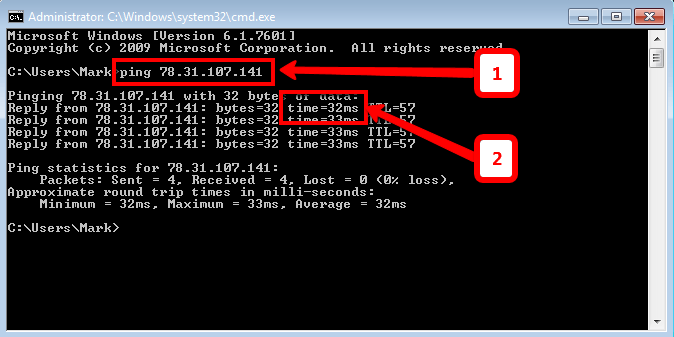
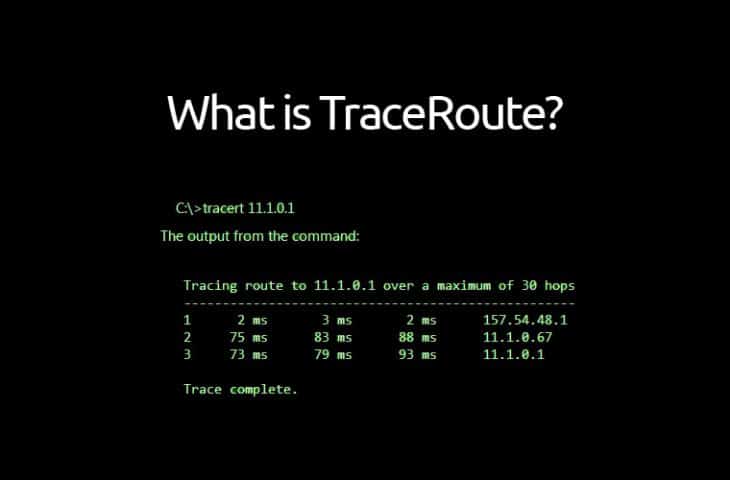
And so I began. First up I was learning about the various tools that can be utilised to verify network connectivity, one of these such tools being the command ping. Ping is a tool that enables an ICMP (Internet Control Message Protocol) message, an 'echo request', to be sent to an IP address or domain name. Another utility I learnt was
traceroute, which is used to discover the pathway between two nodes, giving information about each hop by manipulating the TTL field at the IP level. Finally, I learnt how to test port connectivity by using the command netcat in Linux & MacOS or test-netconnection for Windows operating systems.


Next I dug a little deeper into DNS to understand name resolution tools like the nslookup command, public DNS servers, DNS registration & expiration, as well as how loopback addresses use hosts files to direct traffic back to yourself. To finish this module and the course I briefly touched on the future of networking, include the Cloud and how it is being used, before looking into IPv6 addressing, headers and how those addresses work in harmony with IPv4 addresses.


And there we have it...after finishing my final piece of graded work, the end of my Bits and Bytes of Networking course has come to an end, with a final overall mark of 100% again! 


I've really enjoyed this whole course and feel like I've really started to get my teeth into some fairly complex aspects of networking...I particularly enjoyed getting a deeper understanding at the network layer and how subnetting can be utilised in a number of ways!! 

Time to learn about operating systems! 😁


Dave
Monday, October 16, 2023

Connecting to the Internet

The penultimate module in this second course was based on the different technologies that are used to connect to the Internet. The aims of this module were to cover the following objectives:

  • To describe various Internet connectivity technologies
  • To define components of WAN's
  • To outline basics of wireless and cellular networking
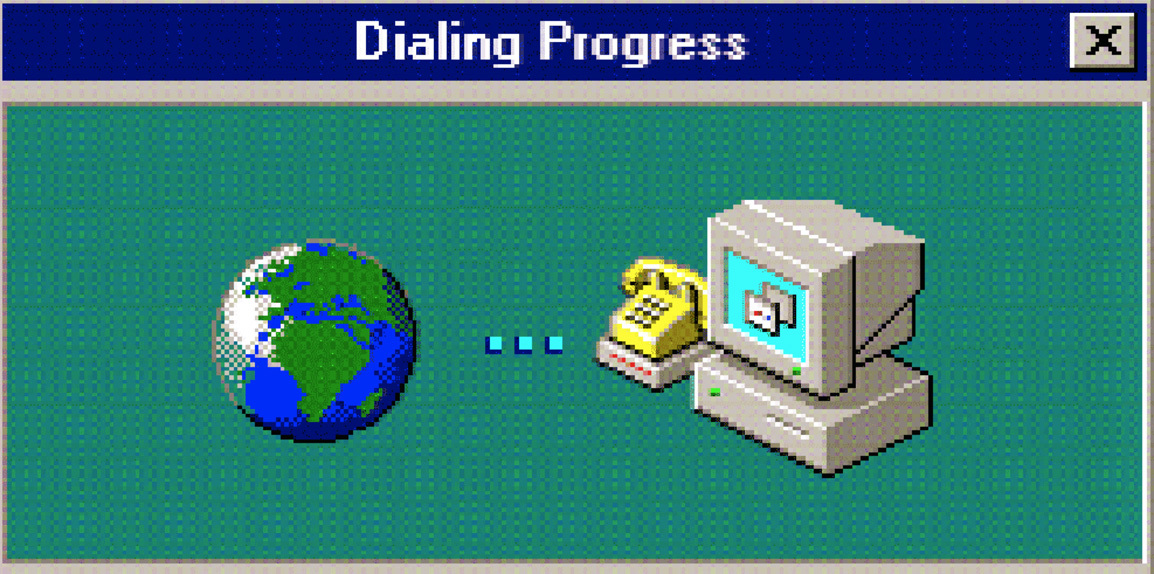
The first of the connectivity technologies I learnt was POTS and Dial Up, using the plain old telephone service for data transfer, establishing connections by dialling a phone number. However, we have since moved on from this technology to using broadband. This technology itself has also evolved over time, giving us T-carrier technologies, digital subscriber lines, on to cable broadband and finally fibre connections. These fibre optic connections use light for data transfer, allowing much faster speeds over much larger distances!

I also learnt about wide area networks, the basic components and how they spread across
physical locations, linked across the Internet via an ISP. However, with the use of point to point VPN's nowadays, VPN tunnels can be established directly between sites using cloud services, eliminating the need to have WAN technology. 

Next I learnt about wireless networking technologies, being introduced to WiFi, which uses radio waves in the frequency bands 2.4Ghz & 5Ghz to transfer data. WiFi is defined by IEEE 802.11 standards and data is sent in an 802.11 frame, of which I took a closer look at, dissecting each field that makes one up. I also learnt about different wireless network configurations and how wireless channels can be used to help address collision domains and resolve connectivity issues.


I then explored ways in which wireless networking is secured using encryption technologies like WEP and WPA2, as well as MAC filtering; allowing only specific MAC addresses to make connections to access points. A final consideration was also given to cellular networking and how mobile devices use a combination of cellular, WiFi and Bluetooth technologies to get connected.

This module was quite short but equally important to grasp the concept of how devices connect to the Internet in different ways. I'm looking forward to getting the last module of this course completed and on to the next one!


Dave

Friday, October 13, 2023

Networking Services

On to the fourth module and this was about various different types of networking services that we use and how they are beneficial to us. The learning objectives were as follows:

  • To describe why name resolution is important
  • To identify the steps involved in a DNS lookup
  • To understand the most common DNS record types
  • To explain how DHCP makes network administration a simpler task
  • To demonstrate how NAT technologies help keep networks secure & preserve IP space
  • To describe how VPN's & proxies help users get connected and stay secure
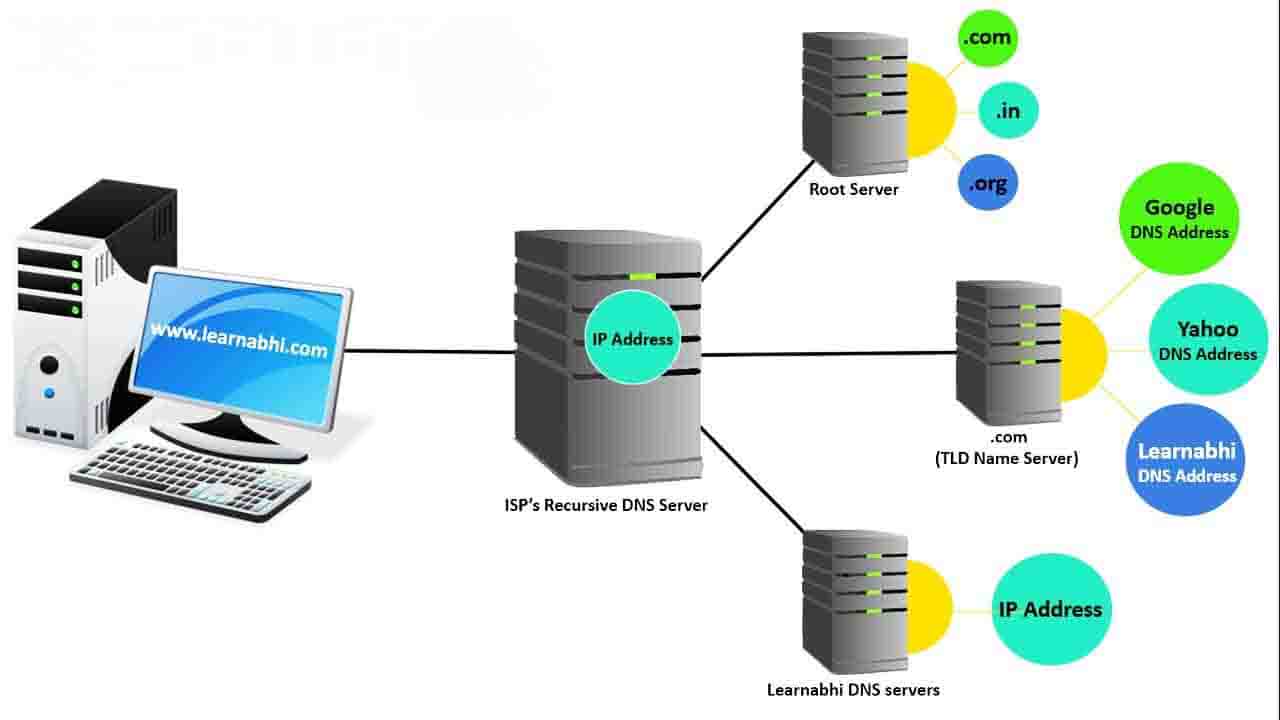
Firstly I learnt about the Domain Name System (DNS) and how it is used to resolve strings of
letters to IP addresses. I learnt the five primary types of DNS servers that are used in the process of making a full DNS resolution request and how these requests are sent as UDP datagrams to help keep traffic down. Next I began to understand some of the different resource record types, such as A record's, CNAME record's and MX record's as well as the concept of DNS round robin and it's use in balancing traffic across IP addresses. Finally, I learnt how DNS zones can be used to split large domains into multiple subdomains to allow for easier control over multiple levels.

After touching on DNS and it's importance in networking I then moved on to Dynamic Host Configuration Protocol. I learnt that this protocol is responsible for the automation of the configuration process of hosts, and does so through either dynamic, automatic or fixed allocation. This process works by broadcasting a series of UDP datagrams between a client and DHCP server to request, offer and acknowledge the allocation of an IP address.

The next network service I was introduced to was Network Address Translation or NAT. This is a technology that allows a gateway, usually a router or firewall, to rewrite the source IP of an outgoing IP datagram while retaining the original IP to rewrite it in the response. This is also known as IP masquerading. I also learnt how NAT works at the transport layer by utilising both port preservation and port forwarding.

Finally, I briefly learnt about the use of Virtual Private Networks in extending a network to hosts outside of it, along with how proxy servers can act on behalf of a client in accessing services therefore giving increased anonymity and security. 

On the whole, I found this module quite interesting and useful in starting to get a better understanding of the range of services that are put to use in the world of networking. 


Dave 

Tuesday, October 10, 2023

Transport and Application Layers

The third module was all to do with both the transport and the application layers of networking and the learning objectives were as follows:

  • To describe TCP ports and sockets
  • To examine the different components of a TCP header
  • To compare differences between connection-oriented and connectionless protocols
  • To explain how TCP is used to ensure data integrity
So first off I began with the transport layer, learning about the importance of multiplexing and demultiplexing and how ports use it to direct traffic to specific services or servers on the network e.g. port 80 is commonly used for http web servers.

Next I dissected a TCP segment, looking at the various fields that make up a TCP header and understanding how they use certain control flags such as SYN and ACK in order to establish a connection using the '3 way handshake'.


I learnt about sockets, the various states they can be in and how this information can aid in troubleshooting socket issues before also learning the difference between TCP and UDP as connection-oriented and connectionless protocols. Finally, I had a brief mention of firewalls and how they block IP addresses from accessing certain ports to ensure security. 

After covering the transport layer it was on to the application layer, understanding that the data payload of a TCP segment contains all the data an application is wanting to send or receive. I learnt that unlike the other network layers that operate with only one or two protocols, when it comes to the application layer there are a wide number of different protocols, such as HTTP for web services, that allow all applications to have interoperability. To round this off I touched on the OSI model of networking, learning the key difference is the addition of another two layers, session and presentation.

This module was fairly short and straight forward really, especially in comparison with learning what goes on at the network layer. On the whole, I've enjoyed beginning to imagine networking as a 5 layer model and I think it's quite helpful breaking it down in this way to understand the inner workings that are happening at each layer. On to the next module which will cover a variety of networking services and how they are utilised.  


Dave

Saturday, October 7, 2023

The Network Layer

The next module in this course was all about the third layer in the TCP/IP model - the network layer. This module went in to more detail about IP addressing and how networks actually communicate with each other. The learning objectives were as follows:

  • To describe the IP addressing scheme
  • To describe how subnetting works
  • To describe subnets by performing basic maths in binary
  • To demonstrate how encapsulation works
  • To describe how ARP protocols allow different layers of the network to communicate
  • To describe how the Internet works
  • To understand the basics of routing and routing protocols
I began by learning what an IPv4 address is, the difference between dynamic and static IP addresses and how Dynamic Host Configuration Protocol is used to automatically assign IP addresses to clients. I took a look at an IP datagram header, dissecting it to understand each field & the purpose it serves and finally I was introduced to the concept of encapsulation and how the whole IP datagram is encapsulated as the payload in an Ethernet frame. 

Next I learnt about the different classes of IPv4 addresses and how the network ID and host ID can be determined based on the class the IP address is in. However, I found that this whole system has now been replaced by CIDR, or classless inter-domain routing. I began to understand the principles of Address Resolution Protocol (ARP) and how an ARP table is used to discover hardware addresses for given IP addresses. This is essential for the encapsulation of an IP datagram into an Ethernet frame.

After learning some of the basics I moved on to the subject of subnetting, or splitting a large network into many smaller subnets. I learnt about subnet masks and how the mask determines the size of a subnet i.e. the number of host ID's possible, as well as telling the router which part of the IP address is the subnet ID. I also saw some examples of how subnet masks are added to IP addresses in short hand notation using binary e.g. 9.100.100.100/27 for a subnet mask of 255:255:255:224. By using simple binary math I worked out that this particular example would mean there are 32 possible host addresses available. I then looked a bit further into binary math to understand how subnet masks use AND operators to determine if an IP address exists on the same network by identifying the network and subnet ID portions of an address.

...Once I'd finally got my head around this I began learning about CIDR and how it combines the network and subnet ID's into one, resulting in the elimination of the need for classes and thus rendering the knowledge I learnt about address classes pretty pointless 😂. However it was good to understand the role CIDR plays and how it allows for more versatile network sizes.

Finally, I was taught some basic routing concepts to understand the actual processes behind the sending and receiving of data packets across networks. I learnt how the use of ARP tables and gateway routers facilitate in the sending of information to the correct destinations, and how routing tables store vital network information for the router to use. I also learnt about interior and exterior gateway protocols, as well as the concept of non-routable address space.

Overall I found this module fairly interesting...I took some time to really understand the principles of subnetting and how it can be used to build more efficient networks and it was also good to begin understanding the network layer as a whole and the importance of it's role in networking.


Dave